Big news for anyone who runs chess on an Android phone: ChessHost is now on Google Play. The same app that already pairs club nights, school tournaments and pub events in the browser now installs like any other app, with its own icon on your home screen. Open it, tap New Tournament, and you are running a chess event from your phone in about two minutes.
ChessHost: Chess Tournaments is a free chess tournament app for Android. It pairs every round for you, keeps live standings with tiebreaks, lets players join with a QR code and puts it all on the venue TV. Only the organiser needs the app: players join from their phone's browser with no app and no account.
♟ What the ChessHost Android App Does
- Swiss, Round Robin, Knockout and team events, from a 4 player kitchen table game to a full school hall.
- Automatic pairings with balanced colours and no repeat games. Odd numbers, byes, late arrivals and walkovers are handled for you.
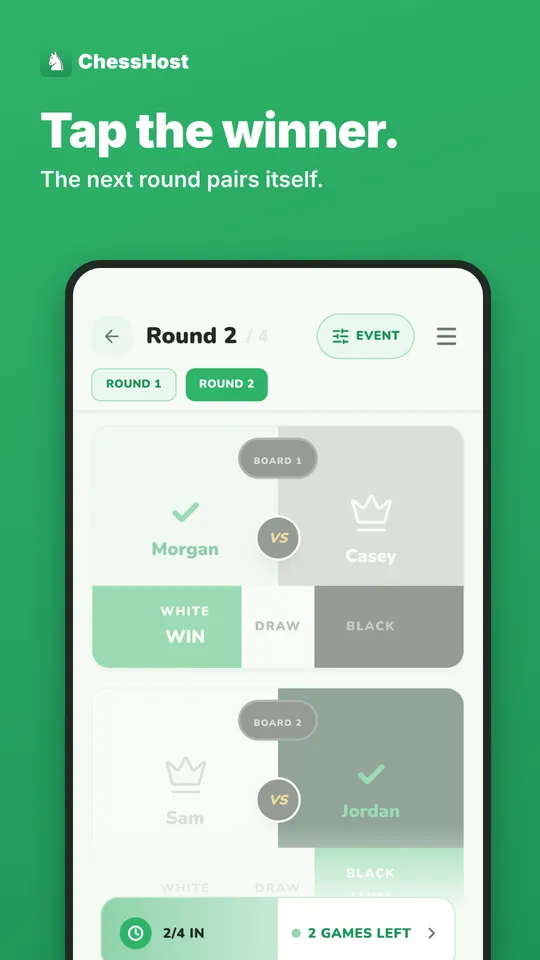
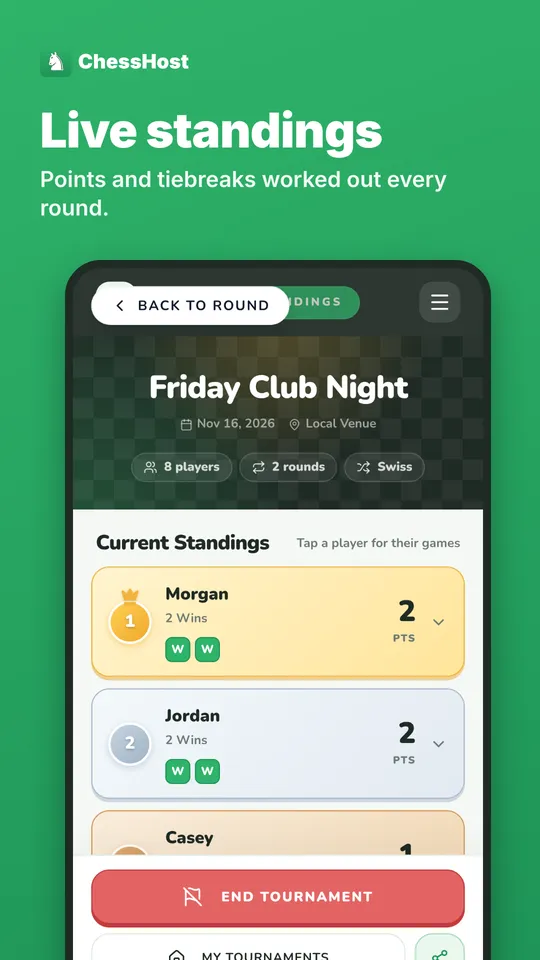
- Tap the winner of each game and the standings update straight away, with tiebreaks worked out.
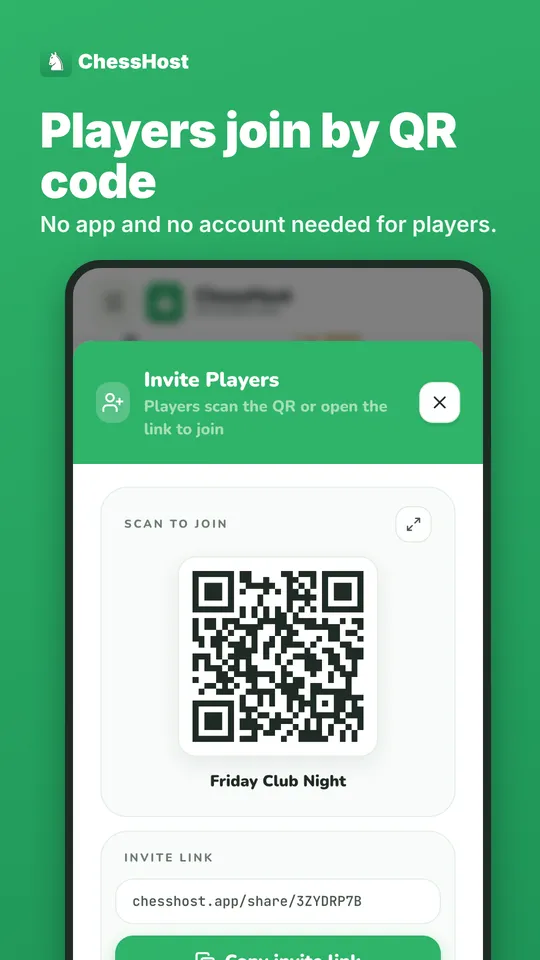
- QR code sign-up. Put the code on screen and players add themselves in seconds.
- Venue TV display with pairings and standings, in a choice of themes.
- Print pairings and winner certificates when the last round ends.
- My Players keeps your club's player list in one place, ready for next week.
🚀 How to Run Your First Event on Android
- Install ChessHost from Google Play and open it.
- Sign in, or create a free account. Already use ChessHost on the website? Use the same login and your events and players are all there.
- Tap New Tournament, give it a name and pick a format. Swiss is the easy choice for most groups.
- Add players: type the names, or show the QR code and let everyone join from their own phone.
- Start round 1. When a game ends, tap the winner (or Draw). Once every result is in, the next round pairs itself.
New to running events? Our step by step guide on how to run a chess tournament covers the room, the clocks and the timings, and the Swiss rounds calculator tells you how many rounds fit your group.
🤔 App or Browser: Which Should You Use?
Both, whenever it suits you. The Android app and the ChessHost chess tournament app in the browser are the same ChessHost, with the same account and the same events. The Android app simply gives you a home screen icon, a full screen view with no address bar, and one tap to get back to your event mid-round.
- On an Android phone or tablet: get the app from Google Play.
- On an iPhone or iPad: open www.chesshost.app in Safari, tap Share, then Add to Home Screen.
- On a laptop: use the website, which is also the easiest way to put the TV display on a big screen.
Run the event from the Android app in your hand, and open the TV display on a laptop plugged into the venue screen. Every result you tap on the phone shows up on the TV a moment later, so you can walk the room instead of sitting at a desk.
👥 Your Players Do Not Need the App
This is the part organisers like most. Only you install anything. Players scan the QR code or open the link you share, type their name, and they are in. From then on their phone shows who they play, on which board and with which colour, plus the live standings. No download, no account, no password to forget, which matters a lot with kids, parents and first time visitors at a pub night.
Games are still played on real boards with real clocks. ChessHost runs the event around them. It is built for casual club, school and social events, not rated (FIDE or USCF) tournaments.
We also made Chess Clock by ChessHost, a free chess clock app for Android that works offline, with no ads. Handy when you are a clock short. In a browser, the free online chess clock does the same job.
Frequently Asked Questions
Is there a ChessHost app for Android?
Yes. ChessHost: Chess Tournaments is on the Google Play Store for Android phones and tablets. Search for ChessHost on Google Play or open the store link on this page, install it, and sign in with your ChessHost account.
Is the ChessHost Android app free?
Yes, it is free to download and the free plan works in the app. There are no purchases inside the app: if your ChessHost account already has a plan, sign in and it works in the app too.
Do my players need to download the app?
No. Only the organiser uses the app. Players join by scanning a QR code or opening a link in their phone's browser, with no app and no account, and they see their pairings and the live standings there.
Is there a ChessHost app for iPhone?
Not in the App Store yet. On an iPhone or iPad, open www.chesshost.app in Safari, tap the Share icon and choose Add to Home Screen. It opens full screen like an app and uses the same account.
Can I use the Android app and the website with the same account?
Yes. It is the same ChessHost account and the same events. Start an event on your phone and you can open it on a laptop to show the TV display, or the other way round.
Does the ChessHost app work offline?
No, it needs an internet connection, because results and standings sync live to the players' phones and the venue TV. Phone data or the venue wifi is enough.
Which Android version do I need?
Android 7.0 or newer, with Google Chrome installed. That covers almost every Android phone and tablet in use today.
Get ChessHost on Google Play
Install the free chess tournament app for Android and run your next club night, school event or pub tournament from your phone. No credit card.
Or Start Free on the Web